Deep Dive · Issue 20
Why More RAM Made LLM Inference Slower
A 364 GB server ran Llama 3 slower than a 48 GB one. The reason is the memory wall.

The Evidence
More RAM, Slower Inference
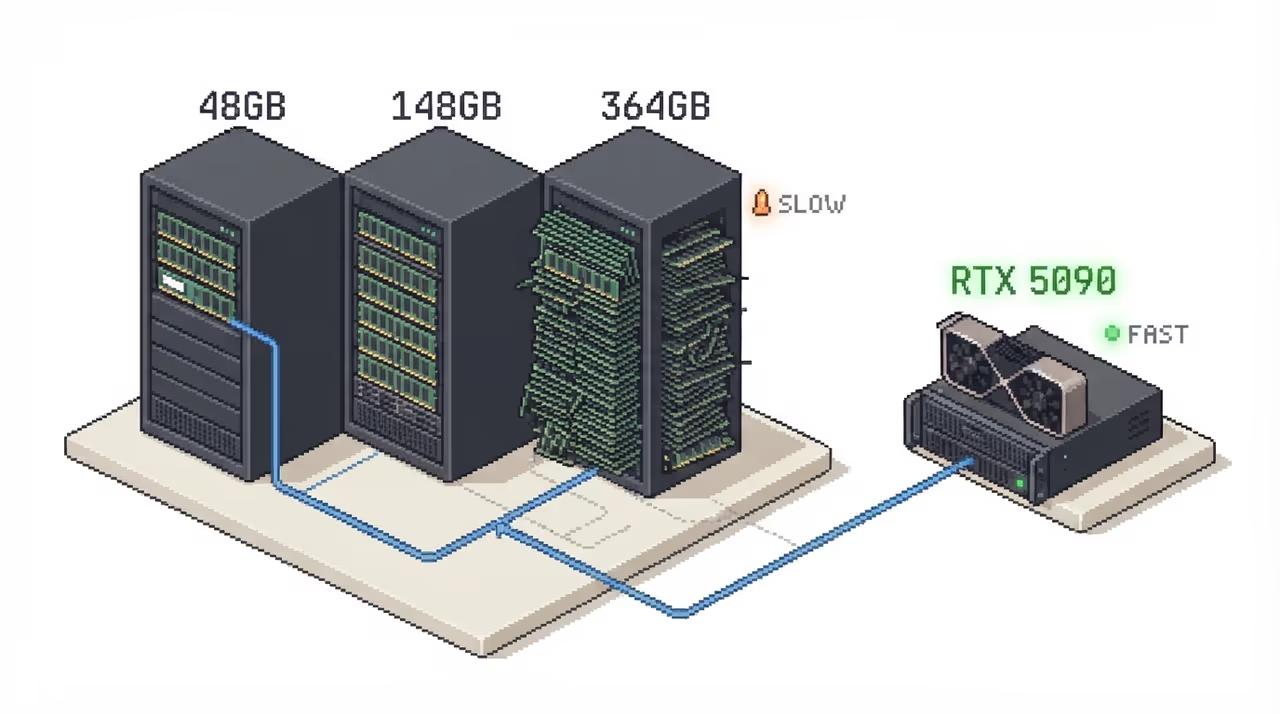
Daniel Beach ran Llama 3 through Ollama on cloud instances with no dedicated GPU. Going from 16 GB to 48 GB of system RAM cut latency from 101s to 68s. But pushing to 148 GB made it slower again at 95s, and 364 GB was the worst CPU result at 141s.
Adding more vCPUs (78 instead of 8) also made things worse at 117s, likely from scheduling overhead and memory contention. The only configuration that broke the pattern was adding a dedicated GPU: an RTX 5090 brought latency down to 62s.
The Mechanism
Decode Is Bound by Bandwidth, Not Compute
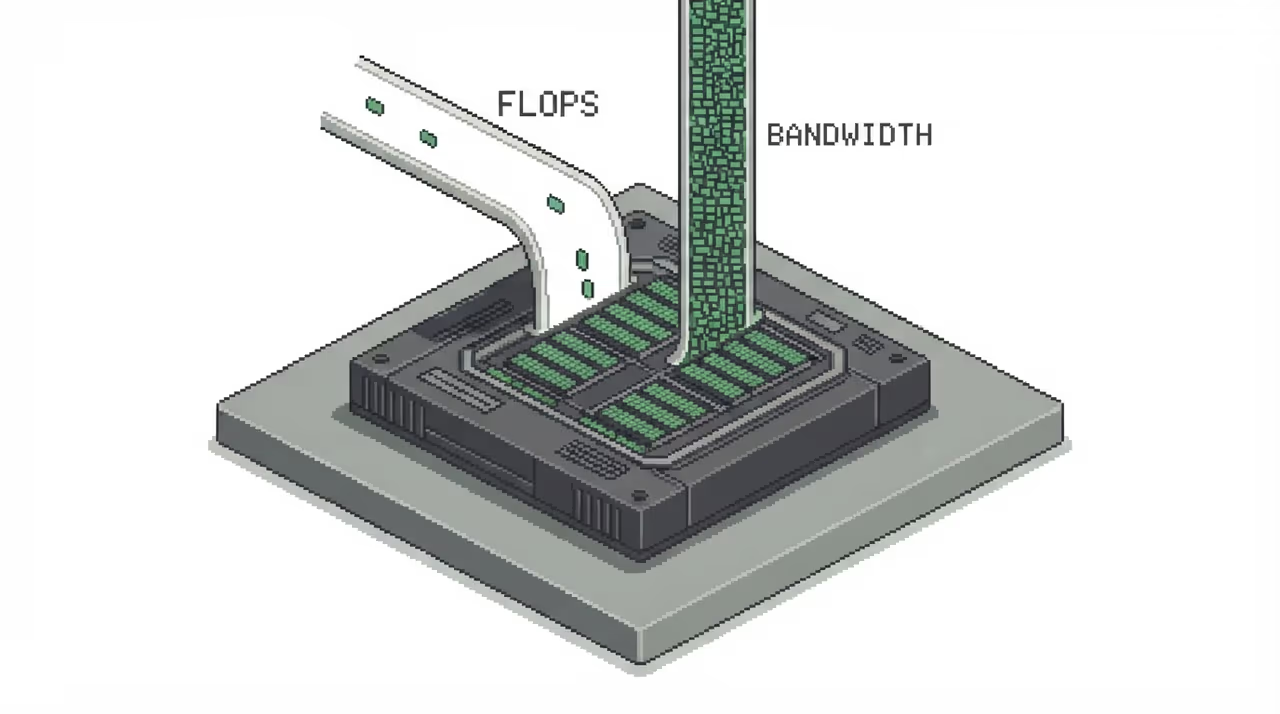
Every GPU has two ceilings: compute (FLOPS) and memory bandwidth (TB/s). Autoregressive decode at batch size 1 has an arithmetic intensity of ~1-2 FLOPs/byte, which sits 200-600x below the ridge point where compute becomes the bottleneck.
An 8B FP16 model (16 GB) on an H100 (3.35 TB/s) has a ceiling of ~200 tokens/sec. The compute ceiling is 62,000 tokens/sec. That ~200x gap means no amount of extra FLOPS or RAM capacity moves the actual number.
Does batching fix it? Not as much as you'd think.
Conventional wisdom says large-batch decode transitions to compute-bound. A 2025 paper from Barcelona Supercomputing Center and IBM Research profiled attention kernels and found that even at maximum batch sizes, >50% of attention kernel cycles are stalled on DRAM data access delays. Arithmetic intensity of attention kernels stays nearly flat as batch size grows, unlike matmul kernels which gain intensity.
Their proposed fix was model replication: run multiple smaller-batch replicas instead of one giant batch, using freed memory for concurrent model copies. This increased throughput by 33.7% on OPT-1.3B.
The Trap
When Models Spill into System RAM
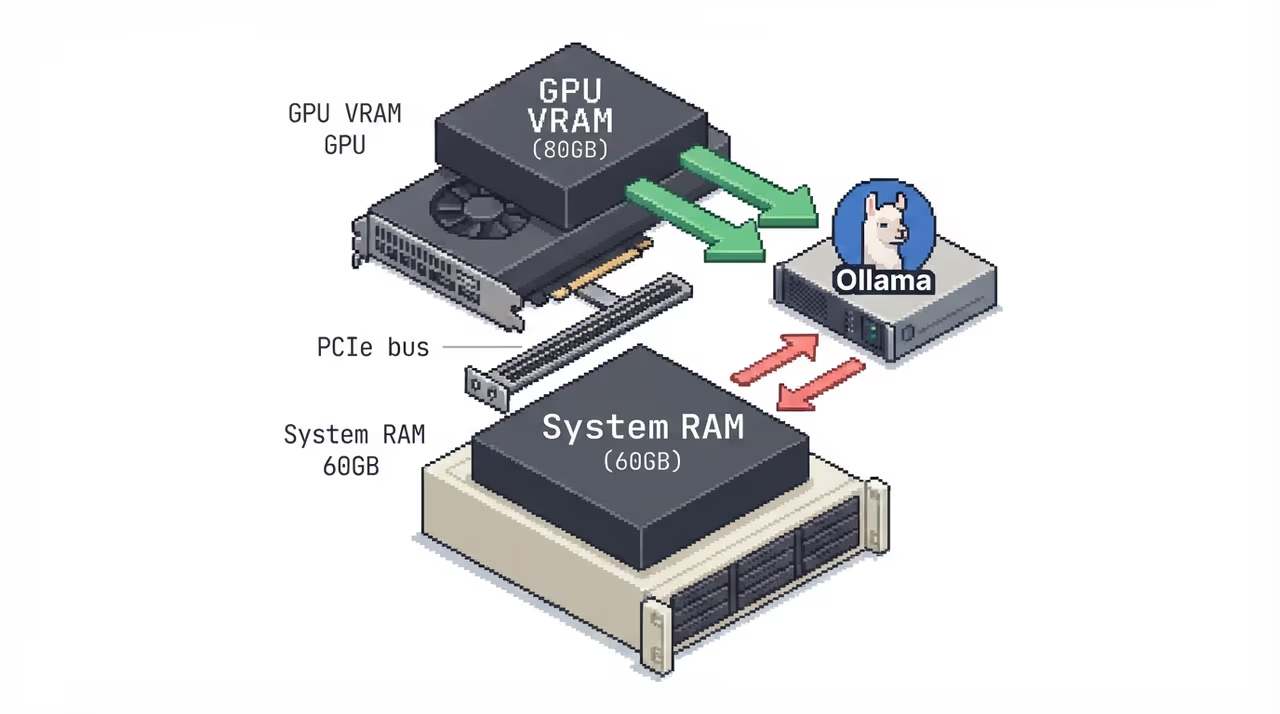
When model weights exceed GPU VRAM, frameworks like PyTorch and Ollama silently offload layers to CPU/system RAM. That bus runs at 10-50x lower bandwidth than HBM. A 70B FP16 model needs 140 GB and won't fit on a single 80 GB H100, so offloading kicks in and tokens/sec drops below 5.
The fix is quantization: FP8 halves the 70B model to 70 GB, INT4 to 35 GB. Or use a GPU with enough VRAM. The diagnostic is nvidia-smi showing VRAM at 100% while CPU usage spikes during inference.
KV cache: the memory consumer that grows with you
Even when weights fit in VRAM, the KV cache grows linearly with context length and batch size. For Llama 3 70B in FP16, 32K context with 8 concurrent requests needs ~85 GB of KV cache alone, exceeding an H100's 80 GB before accounting for weights.
Traditional frameworks pre-allocate max-context-length memory per request, wasting 60-80% of VRAM when requests use shorter contexts. PagedAttention (vLLM) allocates on-demand, enabling 2-4x more concurrent requests on the same GPU.
The Hierarchy
Why 364 GB of RAM Loses to 32 GB of VRAM
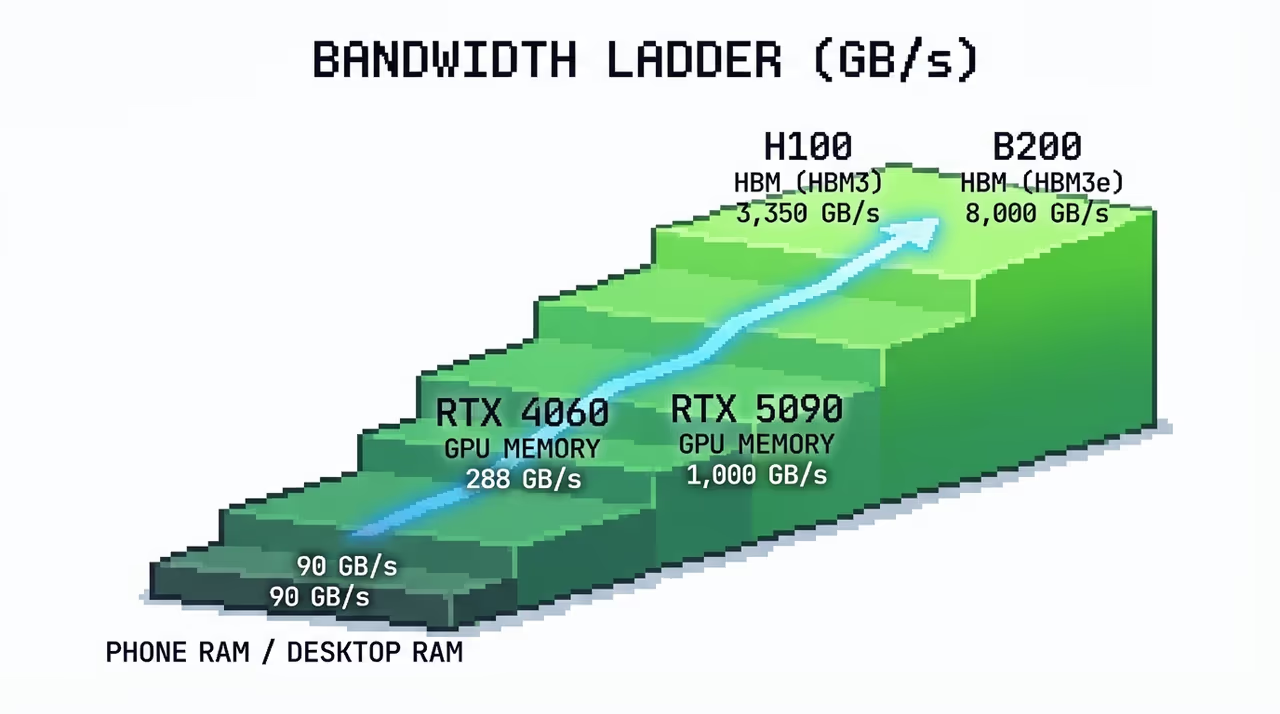
System RAM on a desktop runs at ~90 GB/s. HBM on an H100 runs at 3.35 TB/s. That 37x gap is the entire story. A flagship phone (85 GB/s) and a desktop tower (90 GB/s) decode at nearly the same speed despite the desktop having vastly more compute, because decode is bandwidth-bound.
More system RAM lets the framework load a bigger model footprint onto the slow CPU bus. The 364 GB instance wasn't faster because it had more capacity. It was slower because every byte of the model had to flow through ~90 GB/s memory instead of 3.35 TB/s HBM, and no amount of RAM capacity compensates for that.
Takeaway
The Wall You Can't RAM Your Way Through
Why it matters
The memory wall is structural. As models grow past what a single GPU's HBM can hold, the industry's response has been quantization, tensor parallelism, and faster memory like HBM4. But the fundamental ceiling, bandwidth divided by model size, doesn't move with capacity. Engineers sizing inference infrastructure should spec bandwidth first and capacity second, because a 364 GB CPU-only server will always lose to a 32 GB GPU.
The short version
- LLM decode is **memory-bandwidth-bound**, not compute-bound. The ceiling is `bandwidth / model_size`.
- Adding system RAM without a GPU made inference **slower** in a real test: 364 GB ran at 141s vs 68s for 48 GB.
- When models exceed VRAM, frameworks silently offload to system RAM at a **10-50x bandwidth penalty**.
- System RAM (~90 GB/s) is **37x slower** than HBM (3.35 TB/s). More capacity doesn't close that gap.
- Even at large batch sizes, attention kernels stay memory-bound, with >50% of cycles stalled on DRAM.
Sources
- 1.Why Your LLM Inference Is Slow (And How to Fix It)
- 2.The Memory Wall Is Strangling Your LLM: Why GPUs Are ...
- 3.What is GPU Memory and Why it Matters for LLM Inference
- 5.How RAM and GPU/CPU affects LLM Inference Performance
- 6.Mind the Memory Gap: Unveiling GPU Bottlenecks in Large-Batch LLM Inference
- 7.The Memory Bandwidth Ladder: What Actually Decides How Fast Your LLM Runs
- 8.AI's Memory Wall Problem: Why More GPUs Don't Fix Inference Latency (2026) | Spheron Blog